Anúncios
Find out how to speed up your phone and free up space in just a few minutes.
Apps to clean phone memory are among the most sought-after tools by users dealing with laggy devices, slow performance, or full storage warnings.
And no wonder — with so many photos, videos, updates, and apps, it’s easy to overload your device’s memory without even noticing.
The good news is: you don’t need to be tech-savvy to fix it. Today, there are apps that perform a full digital cleanup for you — removing unnecessary files, freeing up space, and even improving your phone’s performance, whether it’s Android or iPhone.
In this article, we’ll explain why your phone’s memory fills up so quickly, how these apps work, and which are the top-rated right now. Ready to make your phone lighter and faster? Keep reading to learn how to do it simply and safely.
Why does your phone’s memory fill up so quickly?
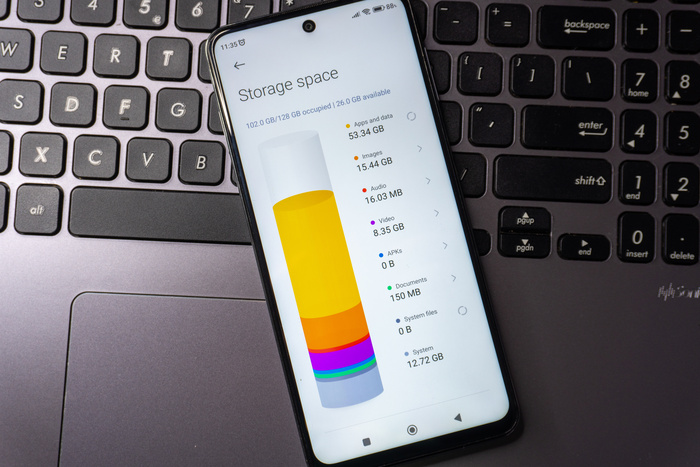
Before we dive into solutions, it’s important to understand the problem. A phone’s memory can be divided into two main types:
- Internal storage: where your apps, photos, videos, and files are saved.
- RAM: responsible for keeping apps running while they’re open.
Over time, several factors contribute to the buildup of unnecessary data:
- App cache: temporary data that helps apps load faster, but can pile up excessively.
- Duplicate files: repeated photos and videos that take up unnecessary space.
- Unused apps: programs you installed but rarely or never open.
- Residual files: leftovers from uninstalled apps.
This buildup not only consumes storage space but can also slow down the system and cause crashes.
How do memory cleaning apps work?
Memory cleaning apps are tools designed to identify and remove unnecessary files from your phone. They work in a simple and efficient way:
- System scan: the app analyzes your device to find files that can be safely deleted.
- Junk file detection: excessive cache, duplicates, old call logs, and more.
- Cleaning suggestions: the app lists what can be removed and lets you choose what to delete.
- Cleanup execution: with one tap, the app cleans your phone, frees up space, and improves performance.
Some apps also offer extra features like app management, battery optimization, and even malware protection.
Best apps to clean memory on Android
If you use an Android device, there are plenty of cleaner apps available on Google Play. Here are some of the most recommended right now:
1. CCleaner: complete cleanup in just a few taps
Looking for a quick and effective digital cleanup? CCleaner scans your Android, deletes what’s unnecessary (cache, residual files, etc.), and helps you monitor real-time performance — all in a very user-friendly interface.
2. Files by Google: smart, reliable, and to the point
Created by Google, this app does much more than file management. It smartly suggests what can be deleted — old memes, screenshots, and duplicates — and even allows offline file transfers.
3. Norton Clean: lightness and security in one app
If security matters to you, Norton Clean is a solid choice. Developed by the same team behind the famous antivirus, it removes junk files and helps you uninstall space-wasting apps — all backed by a trusted brand.
4. AVG Cleaner: boost your performance and battery life
AVG Cleaner does more than clean — it offers full optimization by saving battery, closing background apps, and organizing your gallery. Great for users who want more speed with less hassle.
5. SD Maid: the deep-clean digital housekeeper
If you like total control, SD Maid is for you. It even finds hidden files other apps miss. Perfect for users seeking a deeper Android cleanup.
Best apps to clean memory on iPhone (iOS)
While iOS is known for efficient memory management, it’s still possible to boost your iPhone’s performance with the help of specific apps:
1. Clever Cleaner: cleanup powered by AI
This app is like a digital organizer with superpowers. It uses AI to detect and delete junk files like repeated photos and old screenshots, keeping only what matters. Fast, sleek, and practical.
2. Cleaner Kit: organize your digital life in minutes
Tired of duplicate contacts and old calendar events? Cleaner Kit fixes it all — and even compresses large videos to save space without losing quality.
3. Smart Cleaner: tidy gallery, freed-up memory
With a modern look and smooth navigation, this app scans photos, contacts, and other files, showing exactly what can be cleaned. You review, choose, and voilà — space freed up effortlessly.
4. Cleaner Pro: focused on cleaning your photos and videos
Is your gallery overflowing? Cleaner Pro is your new best friend. It finds duplicate and large files you can safely delete. Fast, efficient, and straight to the point.
5. CleanMyPhone: powerful cleaning with extra protection
More than just a cleaner, CleanMyPhone performs an in-depth scan and also helps protect your data. Ideal for users who want space, performance, and more privacy on their iPhone.
Extra tips to keep your phone memory clean longer
Besides using cleaning apps, simple habits can help keep your phone running at its best:
- Uninstall unused apps: regularly review your apps and remove what you no longer need.
- Use cloud storage: platforms like Google Photos or iCloud store your media online and free up device space.
- Clear app cache: in your phone’s settings, you can manually clear cache for specific apps.
- Avoid unnecessary downloads: be selective with downloads and delete what’s no longer useful.
- Restart your phone periodically: this helps refresh RAM and improve general performance.
Conclusão
Now that you’ve learned how to free up space and improve your phone’s performance with the best cleaning apps, it’s clear that keeping your device running smoothly doesn’t require tech skills.
With just a few minutes a week and the right tools, you gain speed, convenience, and even extend your device’s lifespan.
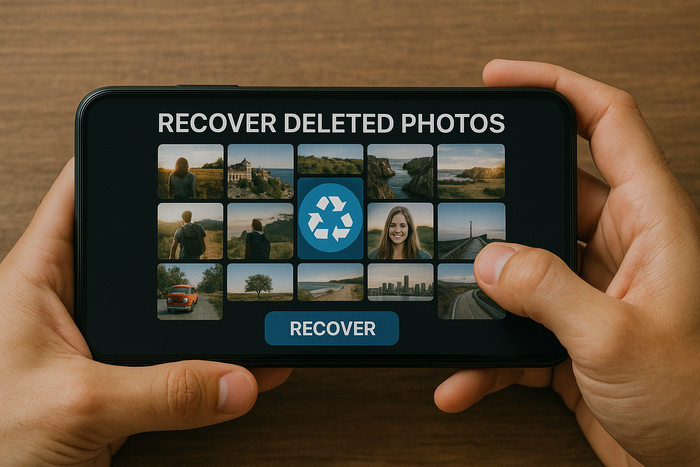
And if, while cleaning, you accidentally deleted an important photo… don’t panic — all is not lost.
In our next article, we’ll show you the best apps to recover deleted photos — yes, even the ones you thought were gone for good.
Click the article below to learn how to recover deleted photos safely and easily. Your gallery will thank you!
Conteúdo recomendado